Unified scan, 3D donut
One click runs every scan and the file-type breakdown. A 3D donut shows used, reclaimable and free space — the green layer grows as you tick items.
Analyze your disk, find caches and large files, and manage applications and their updates on Linux, macOS and Windows. A 3D donut makes disk space visible, with a preview and confirmation before cleanup.
The donut that fills up
Used417 GB
Reclaimable204 GB
Example on a fictional 913 GB disk — in the app, the donut is 3D and reflects your real disk.
Interactive preview — in the app, the donut is 3D.
// What it does
From the 3D donut to the task manager: see what takes up space and choose the operations to run, with safeguards suited to each action.
One click runs every scan and the file-type breakdown. A 3D donut shows used, reclaimable and free space — the green layer grows as you tick items.
Temporary files, large files, stale git worktrees, dev caches (node_modules, target, .next…) and regenerable app & browser caches.
Browse a responsive inventory of your applications on Linux, Windows and macOS. Check for updates on demand through APT / Flatpak / Snap, winget or Homebrew, then choose what to install. AppImages and apps without a supported package manager remain manually managed.
Real-time CPU / RAM / swap graph, per-core utilization heatmap, temperature, a sortable process table, and an emergency “kill the biggest hog.” Configurable global hotkey.
SMART status, temperature and power-on hours when exposed by your drive, operating system and available tools. Follow real-time throughput too. The app identifies missing tools and compatible installation options.
Read-only scans, a preview before deletion, trash by default, a zone whitelist, and git actions that never touch uncommitted work.
// Preview
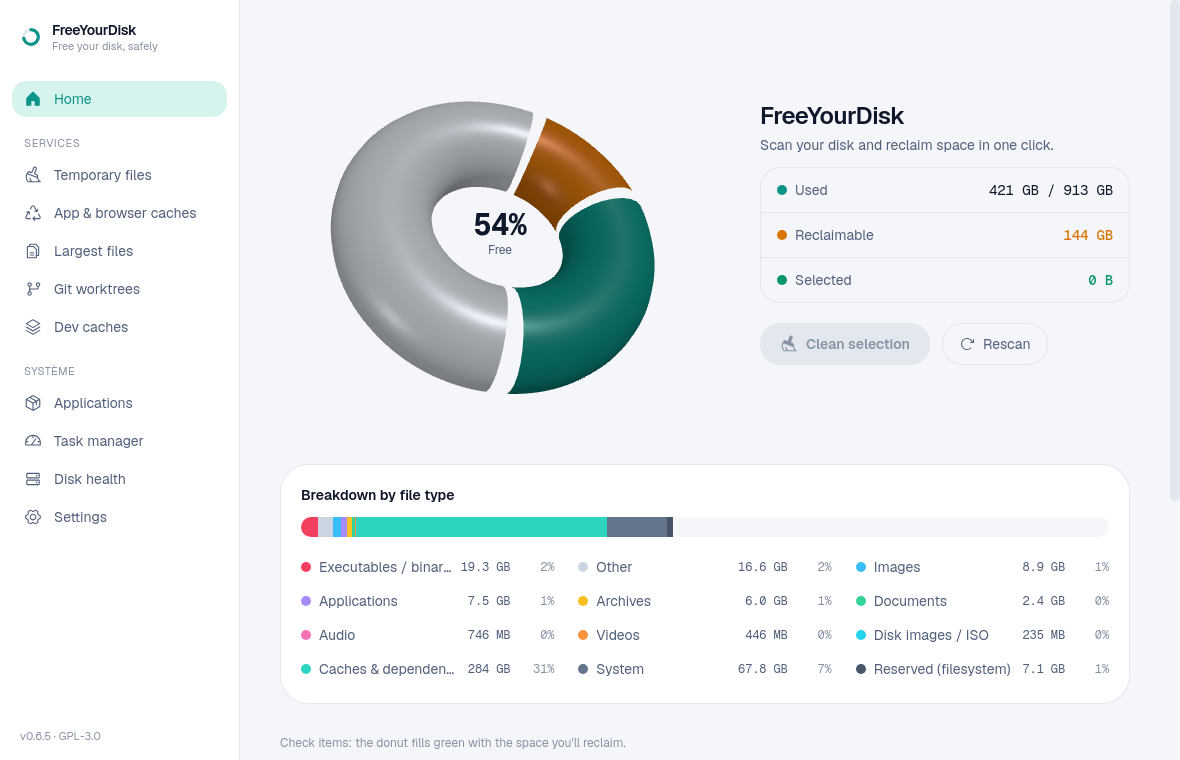
013D usage donut and a whole-disk breakdown by file type.
// Safe by design
A disk cleaner should never lose your data. FreeYourDisk is built around invariants the tests enforce.
Scanning never modifies the filesystem — enforced by tests.
Every deletion shows an exact preview (count, size, destination) and requires confirmation.
File cleanup uses the system trash by default: XDG on Linux, Trash on macOS or the Recycle Bin on Windows. Permanent deletion requires an explicit choice.
Deletions are validated against allowed zones; symlinks escaping them are refused.
Git actions never remove a worktree that has uncommitted changes.
The interface and routine scans run without administrator rights. Operations that need them request authorization through the system's mechanism, including Polkit on Linux.
// Download
Version 0.6.9, free and open-source. Pick the format and architecture for your system.
The macOS builds are Developer ID signed and notarized by Apple. The Windows installer is unsigned, so SmartScreen may display a warning. Check the source of the download before running it.
nvme-cli, smartmontools.Release notes & checksums// Questions
Version 0.6.9 is available for Linux x86-64 as .deb, .rpm and AppImage; Windows 10/11 x64 as .exe; and macOS as DMG for Apple Silicon or Intel. The DMGs are signed and notarized. The Windows installer is unsigned and may trigger SmartScreen.
Version 0.6.9, free and open-source. Pick the format and architecture for your system.
Download — v0.6.9Open-source · GPL-3.0